PipeASIO
Low-latency ASIO audio for Windows DAWs on Linux. Runs under Wine and Proton, native to PipeWire.
New: PipeASIO is now packaged in the AUR. paru -S pipeasio installs the driver, the settings panel and its menu entry in one go. Other distros build from source.
Straight to PipeWire
PipeASIO is a native PipeWire client. Audio gets from your host to the graph in one hop, instead of detouring through Wine's audio layer or a JACK bridge that the Proton container does not even ship.
libpipewire-0.3 shared memory.
libjack.so.0, which is absent in the steamrt4 container, so it crashes on load.
How it compares
FL Studio's built-in ASIO does work under Wine, but it is just a stereo stream handed to Wine's audio layer. PipeASIO is a first-class node in the PipeWire graph.
| Capability | PipeASIO | FL Studio ASIO | WineASIO |
|---|---|---|---|
| Loads in Proton / steamrt4 | Yes | Yes | No, needs libjack |
| Path to PipeWire | Direct, native client | Through Wine audio | Through JACK |
| Routable per-channel node in the graph | Yes | No, one stream | Via JACK only |
| Graph clock locked to the host buffer | Yes | No | Partial |
| Live settings panel with a load monitor | Yes | No | No |
| Extra runtime dependency | None | Wine audio | libjack.so.0 |
What you get
A focused, modern bridge between ASIO hosts and PipeWire, with a native settings panel.
PipeWire native
Talks to libpipewire-0.3 directly through a pw_filter DSP node. No JACK, no libjack.so.0 at runtime.
Runs under Proton
Loads inside the Steam Runtime steamrt4 container that Proton uses, via a host-provided WINEDLLPATH.
Sample-accurate clock
Locks the PipeWire quantum to the host's negotiated buffer with PW_KEY_NODE_FORCE_QUANTUM for tight, glitch-free timing.
Qt6 settings panel
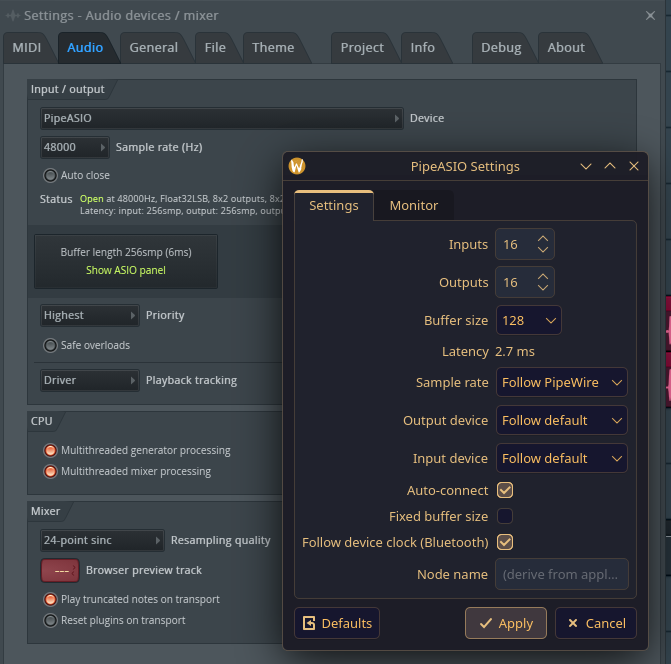
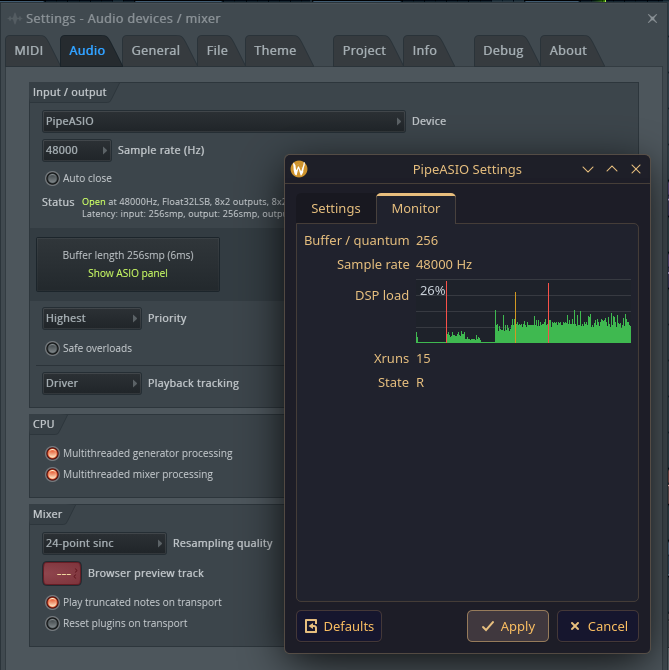
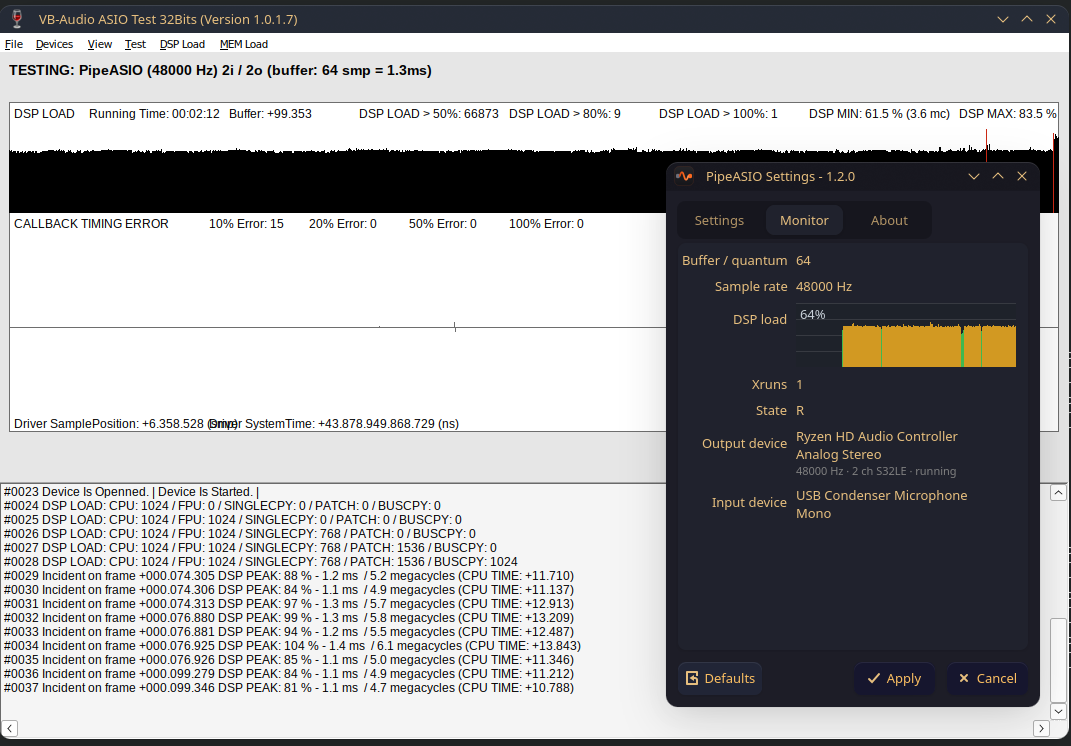
A native pipeasio-settings app: channels, buffer size, device routing, plus a live Monitor tab showing the connected input/output devices, quantum, rate, xruns and a DSP-load graph.
Bluetooth friendly
A follow-device-clock mode lets the target device drive the cycle, which a Bluetooth sink needs when its radio-link clock cannot be slaved. The panel names the scheduling mode each choice implies.
Live config reload
The driver re-reads its INI while running, so saving in the panel applies within about a second. No reselecting the driver or restarting the host.
The settings panel
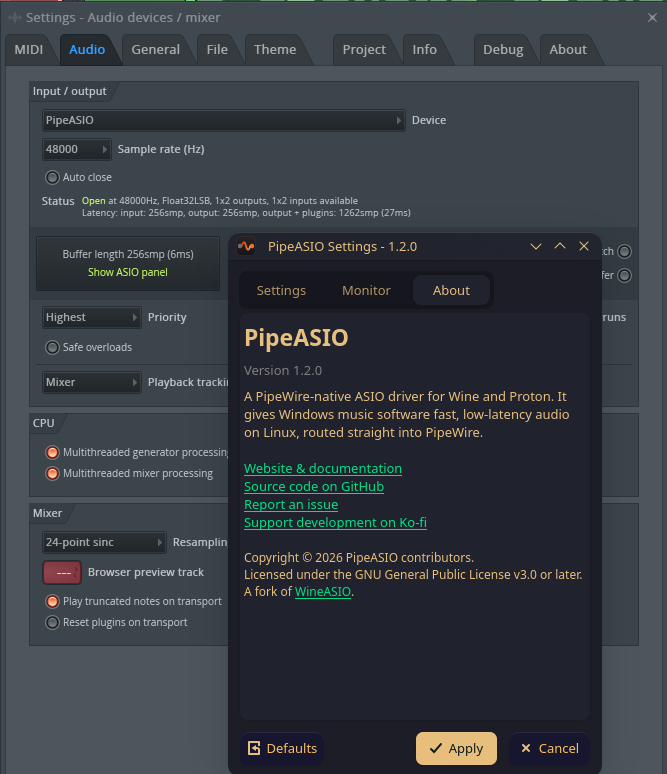
Configure channels and routing, then watch the graph live. Shown here running under FL Studio.
Quick start
x86_64, with an ARM64 tarball and build notes in the README. Building from source needs CMake 3.20+, gcc, pkg-config, the Wine SDK, the PipeWire headers and a MinGW cross compiler, plus Qt 6, yaml-cpp, libarchive and zlib for the manager and settings panel. Package names differ per distro - Arch: cmake ninja gcc pkgconf wine libpipewire qt6-base mingw-w64-gcc yaml-cpp libarchive zlib, Fedora: cmake ninja-build gcc gcc-c++ pkgconf wine-devel pipewire-devel qt6-qtbase-devel mingw64-gcc mingw64-gcc-c++ yaml-cpp-devel libarchive-devel zlib-devel, Debian/Ubuntu: cmake ninja-build gcc g++ pkg-config wine64-tools libwine-dev libpipewire-0.3-dev qt6-base-dev gcc-mingw-w64-x86-64 g++-mingw-w64-x86-64 libyaml-cpp-dev libarchive-dev zlib1g-dev.
Download pipeasio-manager-<tag>-x86_64.AppImage from the releases page, mark it executable and open it. Pick the application or prefix and click Install: it downloads a checksum-verified release, registers the driver through that prefix's own runner, and checks that it loads. For a Steam game, then paste the launch options it shows into the game's properties. No build and no sudo.
# driver + settings panel, from the AUR
paru -S pipeasio   # or: yay -S pipeasio
pipeasio-register
Plain Wine users are done. For Proton the system-wide install is invisible inside the container, so follow steps 1-2 (user-local) and step 4 instead. Everyone else, build from source:
# needs the Wine SDK, PipeWire headers and the x86_64 MinGW cross compiler
# (mingw-w64-gcc on Arch, gcc-mingw-w64-x86-64 on Debian/Ubuntu, mingw64-gcc on Fedora)
# clone and build (Release)
git clone https://github.com/M0n7y5/pipeasio.git && cd pipeasio
cmake -B build -DCMAKE_BUILD_TYPE=Release
cmake --build build
# user-local, required for Proton / Faugus / Steam
cmake --install build --prefix "$HOME/.local"

# ...or system-wide (lands in /usr/lib/wine, right for Arch and similar)
sudo cmake --install build --prefix /usr
At launch, Wine looks for the driver's Unix half only in its own library dir (or WINEDLLPATH), so the driver must land there: /usr/lib/wine on Arch, /usr/lib64/wine on Fedora, /usr/lib/x86_64-linux-gnu/wine on Debian/Ubuntu, and lib/wine inside the tree for WineHQ builds under /opt/wine-<branch>. For those, point the driver files at the right root (the tools still land under the normal prefix):
# Fedora
cmake -B build -DPIPEASIO_WINE_INSTALL_ROOT=/usr/lib64/wine
sudo cmake --install build --prefix /usr

# Debian/Ubuntu
cmake -B build -DPIPEASIO_WINE_INSTALL_ROOT=/usr/lib/x86_64-linux-gnu/wine
sudo cmake --install build --prefix /usr

# WineHQ (e.g. wine-staging)
cmake -B build -DPIPEASIO_WINE_INSTALL_ROOT=/opt/wine-staging/lib/wine
sudo cmake --install build --prefix /usr
pipeasio-register compares the install root against the Wine on your PATH and warns when they mismatch; the alternative to reinstalling is WINEDLLPATH=<driver-install-root> in the host's launch environment.
# plain Wine prefix
env WINEPREFIX="$HOME/asioapp" pipeasio-register

# Proton / Faugus / Steam prefix: through the runner, never host wine
env WINEPREFIX="$HOME/Faugus/<game>" WINE=umu-run \
    PROTONPATH="$HOME/.local/share/Steam/compatibilitytools.d/<runner>" \
    GAMEID=umu-<game> pipeasio-register
Host Wine started in a Proton prefix rewrites its registry and system32 for the host build, so pipeasio-register refuses one unless WINE names the runner's launcher. Faugus bundles umu-run at ~/.local/share/faugus-launcher/umu-run.
Proton runs Wine in a container that cannot see /usr/lib/wine, so install under $HOME (above) and point Proton's Wine at the ELF half with WINEDLLPATH. In Steam, add it to the game's launch options (right-click the game > Properties > General):
WINEDLLPATH=/home/<you>/.local/lib/wine %command%
In Faugus, put it in the per-game "Launch options" environment field:
WINEDLLPATH=/home/<you>/.local/lib/wine
Use the absolute path (Faugus does not expand ~). Then pick PipeASIO as the ASIO device inside your host. The full config reference and environment overrides live in the README.
32-bit games and hosts only: Proton runs 32-bit apps through classic split WoW64 by default, which cannot load PipeASIO's experimental 32-bit front end. Enable Proton's new WoW64 mode. In Steam, add PROTON_USE_WOW64=1 alongside WINEDLLPATH in the game's launch options:
PROTON_USE_WOW64=1 WINEDLLPATH=/home/<you>/.local/lib/wine %command%
In Faugus, enable the WoW64 option in the game's settings, or add PROTON_USE_WOW64=1 to the same environment field as WINEDLLPATH. 64-bit games and hosts do not need this.
Experimental and not actively maintained. Bottles has been too unreliable to build on: some of its buttons do not render properly, the ones that do treat a click as a suggestion, its updates keep breaking integrations like this one, and Bottles Next, the rewrite announced in October 2023, has been "next" ever since. The main focus is plain Wine prefixes and Faugus.
Bottles runs each bottle with its own runner, and the Flatpak sandbox sees neither /usr/lib/wine nor $HOME/.local/lib/wine. Leave the driver where it is installed, give the bottle the PE stub and a WINEDLLPATH, and register through Bottles' own launcher so the bottle's runner does it:
flatpak override --user --filesystem="$HOME/.local/lib/wine:ro" com.usebottles.bottles
flatpak override --user --filesystem=xdg-run/pipewire-0 com.usebottles.bottles
BOTTLE="$HOME/.var/app/com.usebottles.bottles/data/bottles/bottles/<name>"
CLI="flatpak run --command=bottles-cli com.usebottles.bottles"
cp "$HOME/.local/lib/wine/x86_64-windows/pipeasio64.dll" "$BOTTLE/drive_c/windows/system32/"
$CLI edit -b <name> --env-var "WINEDLLPATH=$HOME/.local/lib/wine"
$CLI shell -b <name> -i "regsvr32 /s pipeasio64.dll"
Native Bottles keeps its data under ~/.local/share/bottles/ and runs the same bottles-cli directly, without the flatpak override lines. pipeasio-register refuses a bottle for the same reason it refuses a Proton prefix. The README's Bottles section has the 32-bit step.
The same install drops a native settings app, pipeasio-settings (built whenever Qt6 Widgets is present; the driver builds fine without it). Launch it to set channels, buffer size and device routing, and to watch the live Monitor. Saves apply within about a second, with no host restart.
pipeasio-settings
Configuration
A flat INI at ~/.config/pipeasio/config.ini (written by the panel). Every key also has an environment-variable override, and the defaults work out of the box.
| Key | Default | What it does |
|---|---|---|
inputs / outputs | 2 / 2 | Number of PipeWire ports the driver opens. |
buffer_size | 1024 | Preferred ASIO buffer size (power of two, 16 to 8192). |
fixed_buffer_size | on | Lock the size, or let the host change PipeWire's quantum. |
sample_rate | follow | 0 follows the graph, a non-zero value pins the rate. |
auto_connect | on | Auto-wire channels to a hardware device on start. |
follow_device_clock | off | Let the target device drive the cycle, scheduled asynchronously (+1 buffer period). |
Questions and troubleshooting
PipeASIO is at 1.10.0, verified with FL Studio under Proton-CachyOS and with the VB-Audio ASIO Test utility (64-bit and 32-bit). Other ASIO hosts (Reaper, Ableton Live) should work but are not yet confirmed. Reports are very welcome.
No sound, or the driver does not load under Proton?
/usr/lib/wine. Install under $HOME and set WINEDLLPATH in the game's launch options - Steam: WINEDLLPATH=/home/<you>/.local/lib/wine %command%, Faugus: the same variable in the per-game environment field - then register in that prefix.A 32-bit game or host does not list PipeASIO under Proton?
PROTON_USE_WOW64=1 alongside WINEDLLPATH in the game's launch options: PROTON_USE_WOW64=1 WINEDLLPATH=/home/<you>/.local/lib/wine %command%. In Faugus, enable the WoW64 option in the game's settings. The install must also include the 32-bit half (-DBUILD_WOW64_32=ON).Registering fails with status c0000135?
pipeasio64.so). Either Wine is not looking where it is installed (set WINEDLLPATH to the install's lib/wine, or install into Wine's own library dir), or the unixlib was built against a different Wine or glibc than the one running. An install from 1.6.0 or older that was never re-registered fails the same way: run pipeasio-register again.Bluetooth headphones produce no sound?
PIPEASIO_FOLLOW_DEVICE_CLOCK=on). A Bluetooth sink's clock is the radio link and cannot always be slaved to the host, so the driver follows it instead, which also switches it to asynchronous scheduling and costs one buffer period. Some Bluetooth sinks do accept a forced quantum and work with the option off, so try it both ways.FL Studio crackles or xruns constantly?
Does it conflict with WineASIO?
How do I select it in my DAW?
Where is it in my volume mixer?
wpctl with a volume slider and mute like any application. The slider scales what the host plays, per output channel, inside the driver; inputs are not affected. WirePlumber remembers the level per host the way it does for every stream. The node is not auto-routed by WirePlumber; the auto-connect and device settings still decide where it links.